
This article explores practical ways to make your WordPress website more interactive—so it feels less like a static brochure and more like a place people enjoy using.
With millions of websites online, it’s easy to blend into the background—just like countless fish in the ocean that most people could never name.
But you don’t want your site to be another forgettable URL. You want it to stand out, look polished, and leave visitors with a strong first impression.
That’s not easy—and it shouldn’t be framed as effortless.
Yes, there are many SEO tactics that can improve visibility and traffic: inbound marketing, local citation building, landing page optimization, competitor link analysis, on-page SEO, and more. However, this article isn’t a full SEO guide. It focuses on one specific piece of the puzzle: how to make your website more interactive—so visitors stay longer, engage more, and are more likely to convert.
How does adding interactivity benefit your site?
Adding interactive elements can help your website in more ways than one—especially if your goal is to stand out and avoid getting lost in the crowd.
When your site is interactive, visitors have a reason to stick around. A quick quiz, a survey, a calculator, a poll, live chat, or a community feature can turn passive readers into active participants. The result: people spend more time engaging with your content instead of clicking away after a few seconds.
And in a competitive online space, that extra attention matters. The longer visitors stay on your website, the more opportunities you have to guide them toward a meaningful action—buying a product, booking a service, signing up for your newsletter, or sharing your content on social media.
Interactivity also supports your SEO indirectly. Engaged visitors tend to increase dwell time and lower your bounce rate, both of which signal that your page is useful. Over time, these engagement signals can contribute to stronger search visibility and better rankings.
How do you make your site more interactive in WordPress?
If you’re using WordPress, one of the easiest ways to add interactivity is through plugins.
WordPress has a massive plugin ecosystem, and many great options are available for free. While most plugins offer a paid (Pro) version with extra features, the free version is often more than enough to get started and see real results.
The best part? Adding interactive features is usually only a few clicks away. Install a plugin, activate it, and customize the settings to match your goals—no complicated setup required.
Now, let’s dive into 10 practical ways to make your WordPress site more interactive (using plugins), with examples for each.
1. Polls & Quizzes
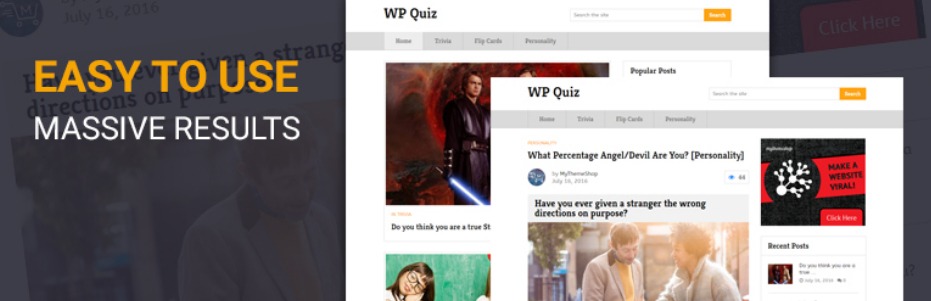
Polls and quizzes turn “reading” into “doing.” Instead of scanning your post and leaving, visitors pause, click, think, and respond—exactly the kind of engagement you want if you’re trying to build a memorable site.
They’re also a powerful way to learn what your audience actually wants. A quick poll can tell you which product feature matters most, what topic they want next, or what kind of content they prefer (tutorials, templates, case studies, etc.).
Quizzes work especially well for lead generation and segmentation. A simple “Which option fits you best?” quiz can route people to the right service page or product category—without feeling pushy.
To get the most value, treat your quiz results like content. Create helpful outcomes (not just “You scored 7/10”), link to relevant pages, and give visitors an easy next step.
Plugins to try (pick 1):
2. Interactive Forms, Surveys & Calculators
If you want more inquiries, signups, bookings, or sales, interactive forms and calculators are one of the fastest upgrades you can make. They give visitors something useful right now—an estimate, a recommendation, a quote, a score, or a result.
Even a basic “Get an estimate” calculator can keep people on the page longer than a standard contact form. It feels like progress: they see inputs, change values, and immediately get feedback.
This also improves the quality of your leads. Someone who completes a calculator or multi-step form is usually more serious than someone who clicks “Contact” and bounces.
A simple way to start: add one calculator that matches your business model—pricing estimate, shipping estimate, ROI calculator, savings calculator, or service package selector.
Plugins to try (pick 1):
3. Reviews, Feedback & Testimonials
People trust people. Reviews and testimonials create interaction in two directions: visitors consume social proof, and your customers contribute to it.
A review section also reduces friction. If a visitor is unsure, a few real reviews can answer objections faster than another paragraph of marketing copy.
Don’t limit this to product pages. If you offer services, add testimonials near your main call-to-action. If you run a blog, use feedback forms to understand what readers found helpful and what’s missing.
One practical tip: make leaving feedback as easy as possible. The fewer fields you require, the more submissions you’ll get—and you can always request more details later.
Plugins to try (pick 1):
4. Social Sharing & “Click to Tweet”
Social sharing buttons create quick, low-effort interaction. A visitor doesn’t need to fill a form or buy something to engage—they just click “share,” and your content gets a second life.
The best shares usually come from “micro-content” inside the post: punchy quotes, stats, mini takeaways, or short frameworks. That’s why “Click to Tweet” boxes work so well—they package a share-worthy line for the reader.
Don’t overdo it. Too many sharing icons everywhere can feel cluttered. A simple approach is: one floating share bar (desktop), one set at the end of the post (mobile), and 2–4 click-to-tweet quotes inside long articles.
If you’re writing for SEO, shares aren’t a direct ranking factor—but they can bring more eyeballs, more links, and more repeat visitors over time.
Plugins to try (pick 1):
5. Social Feeds & Embedded Social Content
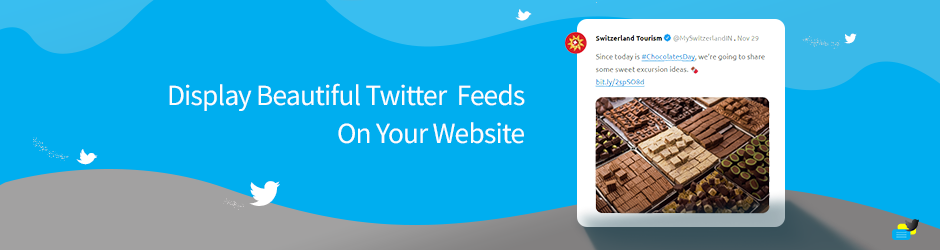
A living social feed makes your site feel active. It signals that there’s real human activity around your brand—posts, photos, updates—not just static pages.
Social feeds can also increase “sticky browsing.” Visitors scroll through a gallery or feed, click into posts, and spend more time on your site without you writing extra blog content every week.
One smart placement is your homepage or about page: a curated Instagram feed, a Facebook posts widget, or embedded videos. Another is product pages—especially if you have user photos or social proof content you want to highlight.
Keep it intentional: choose a feed that supports your goal (brand trust, product discovery, community vibe), and don’t load five platforms at once.
Plugins to try (pick 1):
- EmbedPress (great if you embed “everything,” not just social)
- Smash Balloon Social Photo Feed
- Spotlight Social Feeds
6. Gamification & Rewards
Gamification works because it gives visitors a reason to return and participate. Instead of “read and leave,” it becomes “earn, unlock, progress, collect.”
This is especially effective for communities, membership sites, eLearning, and WooCommerce stores. You can reward actions like commenting, completing lessons, daily logins, referrals, or purchases.
The trick is to keep it simple in version one. Start with one reward loop: for example, “Earn points for comments + redeem points for a discount” or “Earn a badge after 5 helpful replies.”
Gamification can also support moderation and quality. Reward helpful contributions, not just volume—so you build a better community instead of spammy engagement.
Plugins to try (pick 1):
7. User-Generated Content (Front-End Submissions)
User-generated content (UGC) is one of the most underrated ways to add interactivity because it scales. Instead of you creating 100% of the content, your community can contribute posts, stories, photos, listings, testimonials, or updates.
Front-end submissions are also friendlier for non-technical users. They don’t need a WordPress login or admin access—they just submit via a form.
This works beautifully for guest posts, local directories, job boards, community spotlights, photo contests, case study submissions, and “share your story” pages.
Do it safely: use moderation, spam protection, required fields, and clear guidelines so the content stays high-quality.
Plugins to try (pick 1):
8. Community Features: Forums & Q&A

If your niche benefits from discussion—support, hobbies, learning, SaaS, tech, parenting, fitness—forums and Q&A can turn your site into a destination instead of a one-time read.
A forum adds ongoing interaction. People return to check replies, answer questions, and follow threads. Over time, those discussions become a content library that helps new visitors too.
Q&A formats are great when visitors have specific problems. Even if you don’t want a full forum, adding a Q&A section for FAQs, troubleshooting, or community questions can boost engagement heavily.
Start small: one forum category or one Q&A topic area. Once it gets traction, expand.
Plugins to try (pick 1):
- AnsPress (Q&A-style experience)
- bbPress
- BuddyPress (community profiles + activity features)
9. Live Chat & Messaging
Live chat gives visitors an instant way to interact—especially when they’re stuck, unsure, or ready to buy but have one last question.
It can also reduce “silent drop-offs.” Many visitors won’t fill a contact form, but they will ask a quick chat question like: “Do you ship to my city?” “Which plan should I choose?” “Can I book for next week?”
A good chat setup includes: a friendly welcome message, quick replies for common questions, and an offline mode that turns chats into support tickets or email follow-ups.
One reminder: chat is only effective if you manage it. If you can’t respond quickly, use a clear offline message and capture the lead instead.
Plugins to try (pick 1):
- Tawk.To Live Chat
- Tidio – Live Chat & AI Chatbots
10. Related Posts & Personalized Recommendations
Related posts are one of the simplest interactive upgrades with a big payoff: they keep readers clicking.
Instead of finishing an article and bouncing, visitors get a “next best step”—another post that matches their interests. That increases pageviews per session and helps your best content get discovered.
Recommendations also help your internal linking naturally. If your content has clusters (beginner → intermediate → advanced), related posts can guide users through that learning path.
A quick win is to add related posts below every blog post, and also consider related posts inside content (mid-article) for longer pieces.
Plugins to try (pick 1):
- YARPP (Yet Another Related Posts Plugin)
- Contextual Related Posts
Final Thoughts
Interactivity isn’t about adding “more stuff.” It’s about giving visitors a reason to click, respond, explore, and return.
If you want an easy roadmap: pick two engagement features (like quizzes + related posts) and one conversion feature (like a calculator or live chat). Set them up, keep them lightweight, and track what improves time on site, signups, inquiries, or sales.
One last practical note: plugins are powerful, but they’re also a common source of site risk if they’re outdated or unnecessary as outlined in this TechRadar article —so keep only what you use and update regularly. WordPress plugin vulnerabilities do happen, and staying updated is one of the simplest protections.
Leave a Reply