
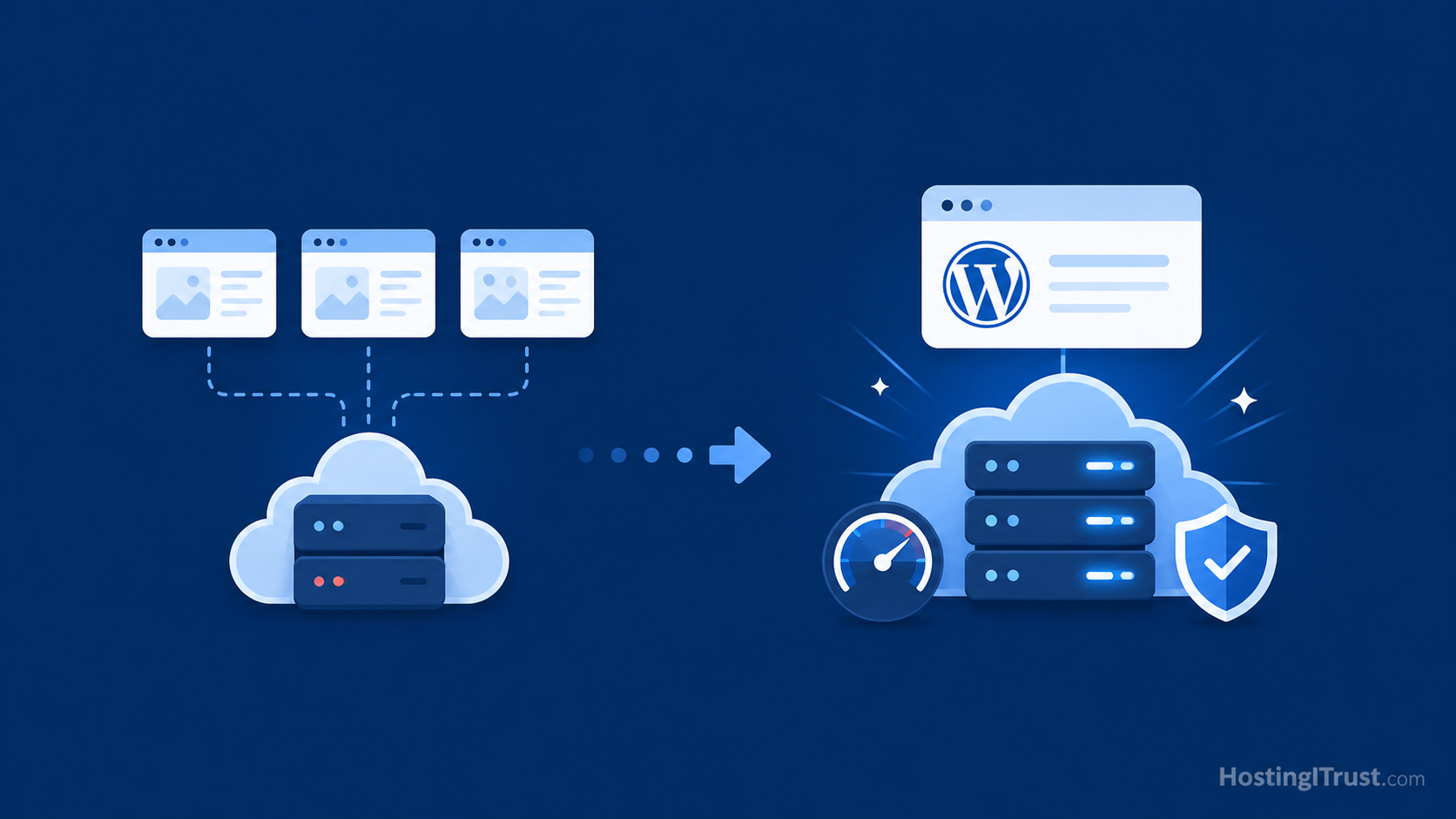
When you first launch a website, shared hosting often feels like the obvious choice. It is affordable, simple to understand, and available almost everywhere. For a new blog, a small brochure website, or an early-stage business site with limited traffic, shared hosting can be a perfectly reasonable starting point.
But websites rarely stay the same.
Over time, you add more pages, images, plugins, forms, analytics tools, SEO features, security plugins, marketing scripts, and maybe even WooCommerce. Your website becomes more important to your business. You begin relying on it for leads, sales, bookings, inquiries, reputation, and search visibility. At that stage, the hosting environment that felt “good enough” in the beginning may start becoming the very thing that holds your site back.
The challenge is that hosting problems are not always obvious. A slow website may look like a design problem. A broken checkout may look like a plugin issue. Random downtime may feel like “just one of those things.” But behind many WordPress issues, there is often a hosting layer that is too weak, too crowded, or too unmanaged for what the site now needs.
That is where the question becomes important: should you continue on shared hosting, or is it time to move to managed WordPress hosting now?
This guide breaks down the real differences and gives you practical signs to watch for, so you can upgrade at the right time — before poor performance, downtime, or security issues begin costing you money.
What shared hosting really means
Shared hosting means your website is placed on a server along with many other websites. All those websites share the same pool of server resources, including CPU, memory, disk usage, and server processes.
This model is what makes shared hosting inexpensive. The hosting provider spreads the cost of one server across many customers. Since most small websites use very little power, this works well at the lower end of the market.
For many beginners, shared hosting is a useful entry point. It lets you get online quickly without needing to understand server management. You usually get a control panel, email accounts, one-click WordPress installation, and basic support. For a small static website or personal blog, that may be enough.
But the biggest limitation of shared hosting is that you do not truly control the environment. Your site’s performance depends not only on your own website, but also on how the server is managed and how many other websites are competing for the same resources. If another website on the server consumes too much power, your site can feel the effect. If the host applies strict resource limits, your site may slow down or hit errors when traffic increases.
So shared hosting is not “bad.” It is simply designed for a different stage of website growth.
What managed WordPress hosting means
Managed WordPress hosting is hosting designed specifically for WordPress websites, with performance, security, backups, updates, and technical care included as part of the service.
Instead of simply giving you server space and leaving the rest to you, managed hosting gives your WordPress site a more optimized environment. A good managed WordPress hosting setup usually includes server-level caching, modern PHP versions, better resource allocation, CDN integration, malware scanning, regular backups, uptime monitoring, and WordPress-aware support.
The major difference is not just technical. It is operational.
With shared hosting, you are often responsible for figuring out most WordPress problems yourself. With managed hosting, the provider takes on more responsibility for keeping the site stable, fast, secure, and updated. This matters because most business owners do not want to spend their time troubleshooting cache issues, PHP errors, plugin conflicts, backup failures, or malware warnings.
Managed hosting becomes especially valuable when your website is no longer just “online,” but actively supporting your business.
Shared hosting vs managed WordPress hosting: the real difference
At a surface level, both options host your WordPress website. But in day-to-day usage, the experience can be very different.

Shared hosting is built around affordability. Managed WordPress hosting is built around reliability, performance, and care. Shared hosting gives you a place to install your website. Managed hosting gives you an environment designed to keep that website working properly.
Performance is one of the first differences you notice. On shared hosting, your site may feel fast one day and slow the next. That inconsistency often comes from shared server load, limited caching, and resource throttling. Managed hosting usually provides a more predictable experience because the server stack is tuned for WordPress and the resources are better controlled.
WordPress Security is another big difference. On shared hosting, you may be expected to install your own security plugin, manage updates, and deal with malware if something goes wrong. Managed hosting typically includes proactive security measures, monitoring, firewall rules, and support for cleanup or recovery.
Backups and restores also differ. Many shared hosts advertise backups, but the restore process may be limited, slow, or paid. Managed hosting should provide more reliable backup routines, off-site storage, and easier restoration.
The final difference is support. Shared hosting support is often general-purpose. They may help with server access, DNS, or control panel issues, but they may not deeply investigate WordPress-specific problems. Managed WordPress support is usually more familiar with themes, plugins, caching, database issues, and update workflows.
When shared hosting is still enough
Before we talk about upgrading, it is important to be fair. Not every site needs managed hosting from day one.
Shared hosting can still be enough if your website is simple, low-traffic, and not mission-critical. If you have a small brochure site with a few pages, minimal plugins, and no active lead generation campaigns, you may not need to upgrade immediately. If you are experimenting with a new project or building a hobby blog, shared hosting may be perfectly adequate.
It also works if you are comfortable handling your own maintenance, though the WordPress maintenance checklist is a quite long one. Some website owners enjoy managing updates, testing plugins, checking backups, and troubleshooting small issues. If that is you, and your site is not under pressure, shared hosting may continue to serve you for a while.
The problem usually begins when the website becomes more important than the hosting environment can support.
When it is time to upgrade: the real signs your site has outgrown shared hosting
The biggest mistake is not starting on shared hosting. The biggest mistake is staying on it long after your website has outgrown it.
Here are the signs to watch for.
1. Your site feels slow even after basic optimization
Most WordPress site owners first try to fix speed problems with plugins. They install a caching plugin, compress a few images, remove one or two unused plugins, and maybe run the site through PageSpeed Insights. Sometimes that helps. But if your site is still slow after the obvious improvements, your hosting may be the bottleneck.
Shared hosting often struggles with Time to First Byte, database response time, and server processing during traffic spikes. This means your visitor may wait too long before the page even begins loading. No amount of image compression can fully compensate for a slow server response.
A strong sign that hosting is the issue is inconsistency. If your site loads quickly sometimes but feels painfully slow at other times, especially during business hours or traffic peaks, the server may be overloaded. Shared hosting environments can behave this way because many websites are competing for resources.
Managed WordPress hosting improves this by using a stack built for WordPress performance. Server-level caching, object caching, optimized PHP, and better resource allocation can dramatically improve the stability of page loads. Instead of relying only on plugin-level fixes, the hosting layer itself works to make the site faster.
If speed has become a recurring frustration, and you have already done the basics, it is probably time to look beyond plugins.
2. Your traffic is growing — or you are actively trying to grow it
Shared hosting works best when traffic is low and predictable. But if your content marketing, SEO, social media, or paid ads are beginning to work, your hosting needs to keep up.
A site that gets a few hundred visits per month has very different requirements from a site getting several thousand, tens of thousands, or sudden traffic spikes from campaigns. The more traffic you receive, the more important caching, server stability, and database performance become.
This is especially important if you are investing money to bring visitors to your site. If you run ads and send traffic to a slow page, you are wasting part of that ad spend. If your site slows down just when a campaign performs well, the hosting limitation directly affects revenue.
Growing traffic is a positive sign. But it also changes the role of hosting. Hosting is no longer just a technical expense; it becomes part of your conversion infrastructure. If you are serious about growth, your hosting should support that growth instead of resisting it.
A good rule of thumb is this: when your website traffic becomes valuable, your hosting environment should become more reliable.
3. You run WooCommerce, memberships, bookings, or other dynamic features
A simple WordPress site can often be cached heavily. But dynamic websites are more demanding.
WooCommerce stores, membership sites, booking systems, learning platforms, directories, and custom dashboards all create more server work. They depend on database queries, user sessions, carts, account pages, payment integrations, and real-time actions. These parts cannot always be cached in the same way as a normal blog post.
On shared hosting, dynamic features often expose weaknesses quickly. The cart may feel slow. Checkout may stall. Logged-in users may experience delays. Admin pages may become sluggish. Product filters may take too long. Orders or form submissions may fail during resource spikes.
This is where managed WordPress hosting becomes much more valuable. A managed setup can use object caching, smarter cache exclusions, better PHP workers, database tuning, and monitoring to keep dynamic parts of the site stable.
If your site processes payments, bookings, memberships, or important lead forms, reliability matters more than the lowest monthly price. A broken checkout or missed lead can cost more than months of hosting savings.
4. Updates make you nervous because there is no safe workflow
If you hesitate before clicking “update,” that is understandable. WordPress updates can occasionally break things, especially when a site uses many plugins or an older theme.
But fear of updates is often a sign that your hosting setup lacks a proper safety net.
A professional update workflow should include backups, staging, testing, and rollback options. You should be able to test updates before applying them to the live site. You should know that if something goes wrong, the site can be restored quickly.
On many shared hosting plans, staging is either missing, limited, or not part of the normal workflow. Backups may exist, but restoring them can be inconvenient. As a result, website owners either update directly on the live site or avoid updates for too long. Both options carry risk.
Managed WordPress hosting changes this experience. Updates can be handled more safely, backups are easier to restore, and staging gives you a place to test before going live. This is not just convenience. It is an important security and stability measure.
If your current hosting makes maintenance feel risky, that is a strong sign you need a more managed environment.
5. You are seeing random errors, downtime, or resource limit warnings
Random errors are one of the clearest signs that your hosting environment is under strain.
You may see 500 errors, database connection errors, timeout messages, blank pages, failed form submissions, or warnings that resource limits were reached. Sometimes these problems disappear when you refresh the page, which makes them harder to diagnose. But intermittent problems are still problems.
On shared hosting, these issues can happen when your site hits CPU, memory, process, or disk I/O limits. Even if your site is not “huge,” a heavy plugin, backup process, traffic burst, or bot activity can temporarily push it over the limit.
The danger is that random errors damage trust. A visitor who sees an error page may not come back. A lead form that silently fails may cost you an inquiry. A checkout issue may lose a sale. Even if the problem lasts only a few minutes, the damage may already be done.
Managed hosting helps by giving your site a more stable environment, better monitoring, and faster diagnosis. Instead of guessing what happened, you can often see the cause and fix it before it becomes a repeated pattern.
If errors are becoming normal, your hosting is no longer supporting your website properly.
6. Your site is now business-critical
This is the most important sign.
A website becomes business-critical when it plays a real role in generating leads, sales, trust, or customer communication. It may not be a large website. It may not have massive traffic. But if it supports your business, it deserves reliable infrastructure.
For a business-critical site, downtime is not just a technical issue. Slow speed is not just a user experience issue. Security is not just a plugin setting. All of these affect revenue, reputation, and customer confidence.
If your website is the place where people discover you, contact you, book with you, buy from you, or judge your credibility, hosting should not be treated like a disposable commodity. Shared hosting may still work, but it is often not the safest long-term fit.
At this stage, managed hosting is less about “premium hosting” and more about reducing business risk. You are paying for stability, support, performance, backups, security, and peace of mind.
7. Your admin dashboard is painfully slow
Site owners often focus only on the visitor-facing website, but the WordPress admin area also tells a story.
If your dashboard takes a long time to load, if plugin pages time out, if saving posts feels slow, or if WooCommerce reports take forever, the server may be struggling with backend processing. This is especially common on shared hosting because admin actions are dynamic and cannot always be cached like public pages.
A slow dashboard wastes your team’s time every day. It makes publishing slower, updates more frustrating, and troubleshooting harder. Over weeks and months, that lost time adds up.
Managed hosting can improve admin performance through better PHP resources, object caching, database tuning, and a more stable stack. If your team works inside WordPress regularly, admin speed is not a luxury. It is part of operational efficiency.
8. You are spending more time managing hosting than growing the site
There is a point where cheap hosting becomes expensive because of the time it consumes.
If you or your team are constantly clearing caches, contacting support, checking backups, fighting malware warnings, troubleshooting plugin conflicts, or wondering whether the site is down again, the real cost is no longer the hosting invoice. It is your time and attention.
Business owners often underestimate this. They compare only the monthly price of shared hosting vs managed hosting. But they do not account for lost hours, stress, missed leads, developer emergency fees, or reputation damage.
Managed hosting is valuable because it removes repetitive technical burden. It gives you a system, not just server space. For many growing businesses, that is the point where the upgrade begins to make financial sense.
The hidden cost of staying on shared hosting too long
Shared hosting saves money at the beginning. But if your site has outgrown it, the savings can become misleading.
A slow site may reduce conversions. Downtime may interrupt campaigns. Security issues may require emergency cleanup. Poor backups may turn a small problem into a major recovery effort. Weak support may leave you waiting when the site is actively losing leads.
These hidden costs of shared hosting are not always visible in your hosting invoice, but they are real.
In many cases, businesses delay upgrading until something breaks badly. But the smarter move is to upgrade when the signals appear — before the damage becomes obvious.
A simple upgrade decision framework
If you are unsure whether to move from shared hosting to managed WordPress hosting, ask yourself these questions:
- Does the website generate leads, sales, bookings, or customer trust?
- Would downtime or slow speed cost us money or reputation?
- Are we investing in SEO, ads, or content marketing?
- Do we rely on WooCommerce, forms, memberships, or dynamic features?
- Are updates, backups, and security becoming stressful?
- Are we spending too much time dealing with technical issues?
If you answered yes to several of these, managed hosting is likely not overkill. It is probably the natural next step.
How HostingITrust approaches managed WordPress hosting
At HostingITrust, we focus on keeping WordPress sites fast, secure, and stable over time. That means managed hosting is not just about where your site is hosted. It is about how carefully the environment is maintained.
Our approach includes performance optimization, smart caching, regular updates, backups, security monitoring, and WordPress-aware support. The goal is to reduce the technical uncertainty that often comes with unmanaged or low-cost hosting.
For business owners, this means fewer surprises. Your site has a stronger foundation, better protection, and a team looking after the details that are easy to ignore until something goes wrong.
Conclusion: upgrade before your hosting becomes the bottleneck
Shared hosting is a good starting point. It helps new websites get online affordably and quickly. But as your WordPress site grows, the hosting that once felt practical can become limiting.
The right time to upgrade is not when your site completely breaks. The right time is when you start seeing the signs: slow speed despite optimization, growing traffic, dynamic features, risky updates, random errors, slow admin performance, or increasing business dependence on the website.
Managed WordPress hosting gives your site a stronger foundation. It helps improve performance, reduce risk, simplify maintenance & care, and support growth.
If your website is now important to your business, it may be time to stop asking, “What is the cheapest way to host this?” and start asking, “What environment does this website need to perform reliably?”
That question usually leads to a better hosting decision.
Related Posts:
Can Web Hosting Affect SEO? Speed, Uptime, Security and Crawling Explained →
Leave a Reply